
We are often asked whether someone can schedule a conference on behalf of a user if, for example, he is on holiday with no access to a computer and, at the same time, there is an urgent need to hold a meeting without transferring licenses.
For this, Zoom has an option called “Scheduling Privilege”. With this option a user can allow other users within the same account to create Zoom conferences and webinars on his behalf. Such conferences and webinars will then be displayed for both users (both for the account owner who assigned the scheduling privilege and for the user it was assigned to) in the app and in the Zoom personal account.
To use this option, users must have a license and be attached to a shared account. To schedule Zoom webinars both users must have the appropriate licenses. This option can also be used in the plugin for Outlook.
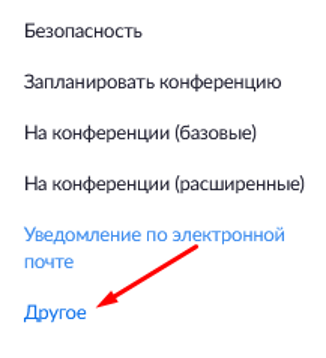
To enable this feature you need to sign in to your personal account on the Zoom portal, click “Settings” and select the “Other” menu item:
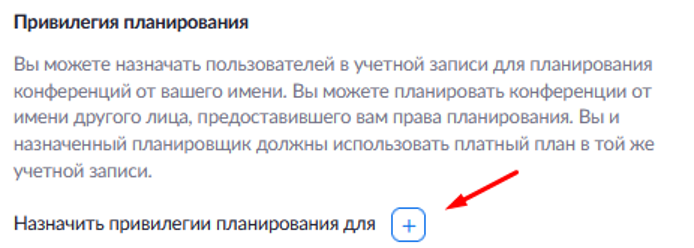
In this item you will see the setting “Scheduling Privilege”, click the plus “+”:
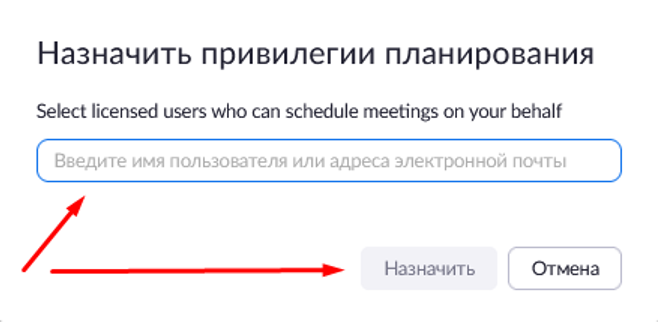
Enter the email address of the licensed user from your account whom you want to give the scheduling privilege to, and click “Assign”:
The user will receive a notification that, if necessary, he will be able to schedule Zoom conferences instead of you.
Try Zoom today
We'll give you a remote demo Monday to Friday, 10:00–16:00 Moscow time, answer all your questions and provide trial access so you can explore the system yourself.
Please note: we work with legal entities only.
