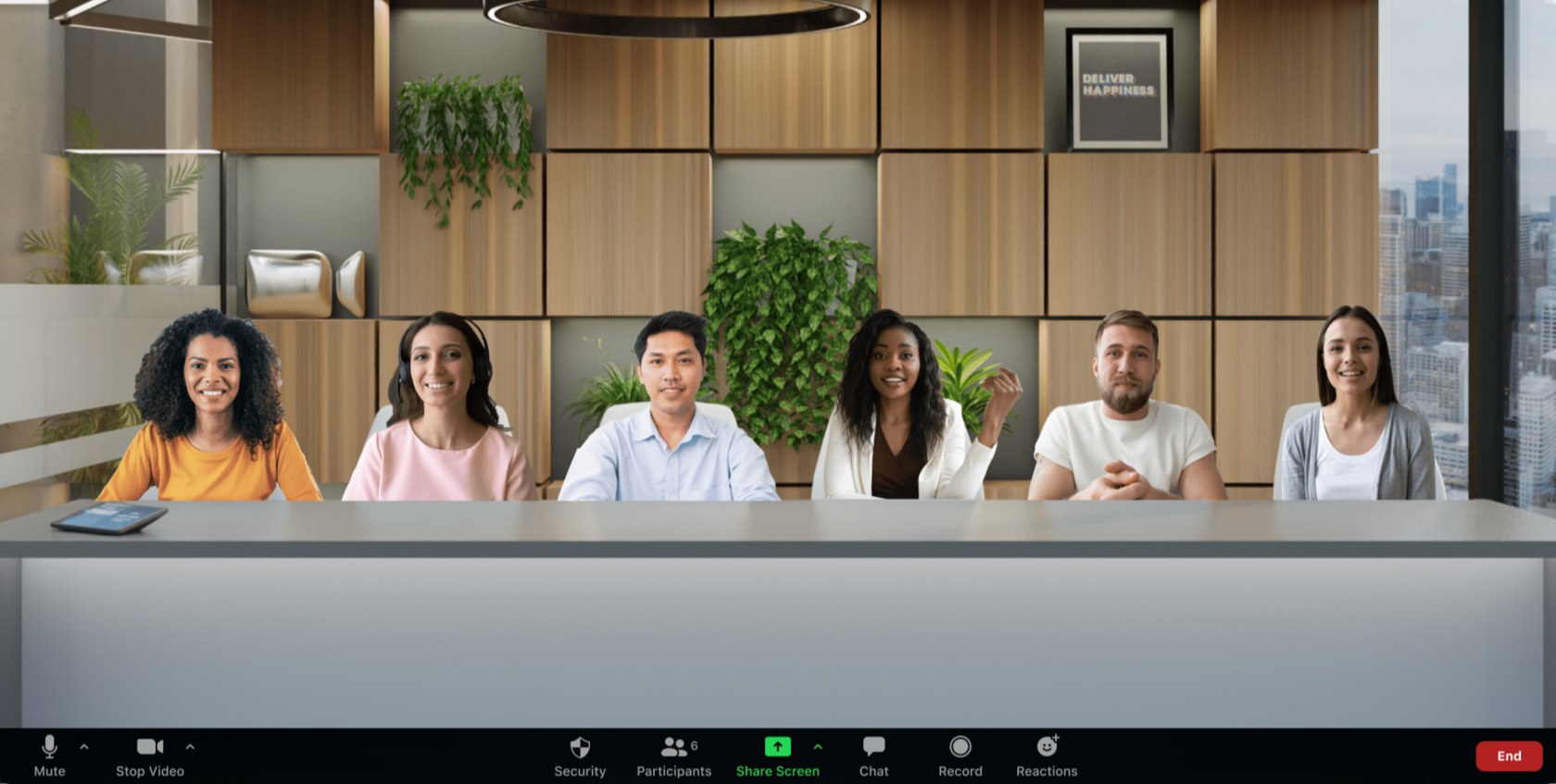
An unusual new feature with an immersive effect - Immersive View - was announced at the annual conference
Zoomtopia 2020.
With this option the host of a Zoom meeting or webinar can bring the video of participants and panelists together on a shared virtual background so that they can work together in a single virtual space.
If you want to create an immersive effect in a classroom, at a conference or in your favorite place for meeting friends, this feature will be an excellent solution for you: it can bring together up to 25 participants. The host can turn on Immersive View in the same way as, for example, Gallery View, and place participants on a virtual stage manually or automatically. The host can swap them around and even resize the participants' images if needed, and can also roll back all the changes if it is time to return to Gallery View or the single active speaker view. Zoom offers several default virtual scenes, but you can upload your own backgrounds. The host can use their own video as a virtual scene and place participants on it.
During screen sharing participants will see the shared materials, and once sharing ends the session will automatically return to the immersive view.

Frequently asked questions:
Can I use this feature?
Yes, the feature is available by default for all free and Pro accounts. For other accounts it has to be enabled in the settings. To use the feature you need to update the Zoom app to the latest version.
What will participants who have an older version of the Zoom app see?
Participants will see the active speaker or the gallery of speakers – depending on their personal settings.
What if more than 25 people are taking part in the Zoom meeting?
The additional participants will be shown in the thumbnail strip at the top of the screen.
Is the feature available in Breakout Rooms?
At the moment the feature is not available in Breakout Rooms.
What will Immersive View look like in a Zoom webinar?
Webinar attendees will see the host and the panelists together on a virtual stage.
How will the feature appear in recordings?
At the moment the recording will be shown in Gallery View or active speaker view – depending on your settings.
Try Zoom today
We'll give you a remote demo Monday to Friday, 10:00–16:00 Moscow time, answer all your questions and provide trial access so you can explore the system yourself.
Please note: we work with legal entities only.
